Windows Update Restored V2

Make sure to read all the information provided on this page about Windows Update Restored V2 before using it!

ARCHIVAL NOTICE: If you have files in C:\Program Files\WindowsUpdate from an old installation, please let us know! Use the Inventory Checker BEFORE attempting to use the service.
 Getting Started
Follow these steps to access the original 1998 update experience:
  • Confirm you are running Windows 95, 98 (FE), or NT 4.0.
  • You MUST be using Internet Explorer 4.0 specifically for this version.
  • Click the button below to visit the V2 website and scan for updates.
 History of Version 2
In 1998, Microsoft released Windows 98 as the first operating system to put Windows Update right in the Start menu, and by late 1998, the service evolved into what we now know as V2. As the direct predecessor to V3.1, it used a similar design style but was specifically built to work best with Internet Explorer 4.0. This version was a big deal for the Windows 9x era because it introduced the Product Updates Catalog, making it much easier for users to find and install the patches they needed.
 Supported Systems & Requirements
Operating Systems: Windows 95, Windows NT 4.0 Workstation, and Windows 98 First Edition.

Browser Requirement: Internet Explorer 4.0 ONLY.

Supported Languages: English, French, German, Simplified Chinese, and Traditional Chinese.
Note: Other languages will not work due to missing files. We are currently missing files for languages not listed above. If you believe you have resources to enable other languages, please reach out via Discord or MSFN!
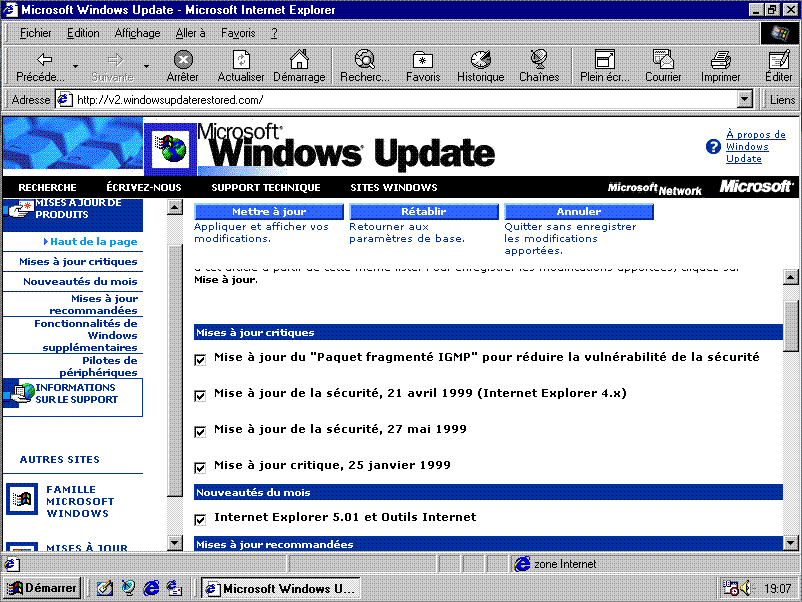
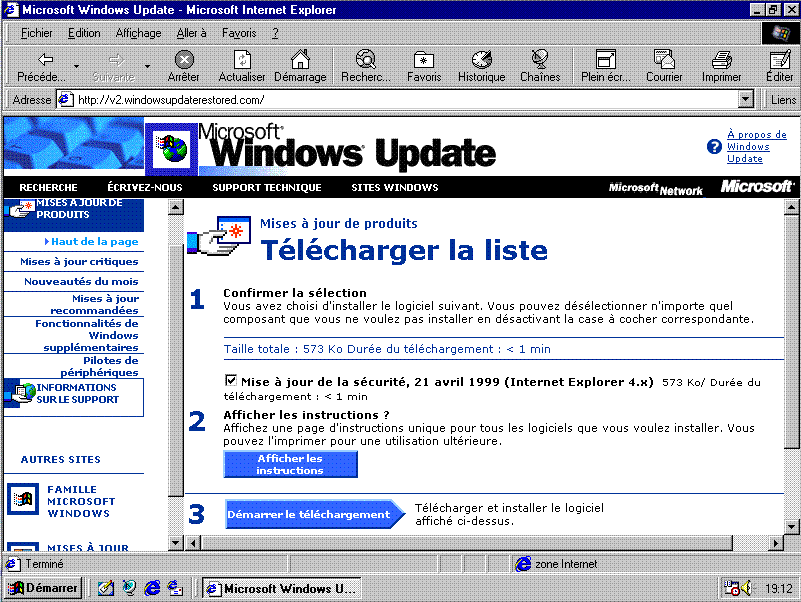
 Screenshots Gallery (French)
Product Catalog
Product Catalog
Customize Windows Update
Download Basket
Download Basket

Back to top ▲